Scan, don’t type
Photograph a receipt and the merchant, total, currency, date and category are filled in for you. You check the result rather than typing it.
Expense Tracker turns a photo of a receipt into a finished expense — merchant, amount, date, category and every line item, read for you. Check it, confirm it, and watch it land in your reports, on your map, and in your household’s shared totals.
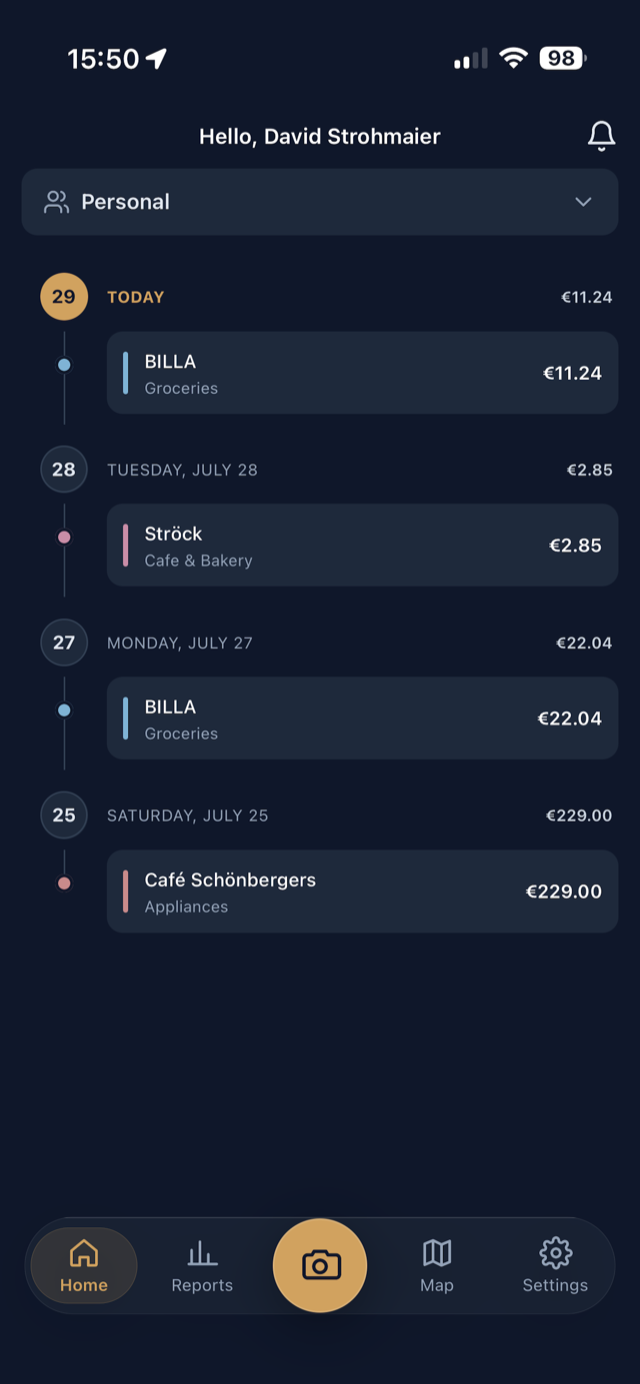
Every expense app asks you to be the data-entry clerk. This one reads the receipt instead — and then does something useful with what it found.
Photograph a receipt and the merchant, total, currency, date and category are filled in for you. You check the result rather than typing it.
Optionally read each item on the receipt, with a subtotal that warns you when the lines don’t add up. Turn it off and scanning gets faster and cheaper.
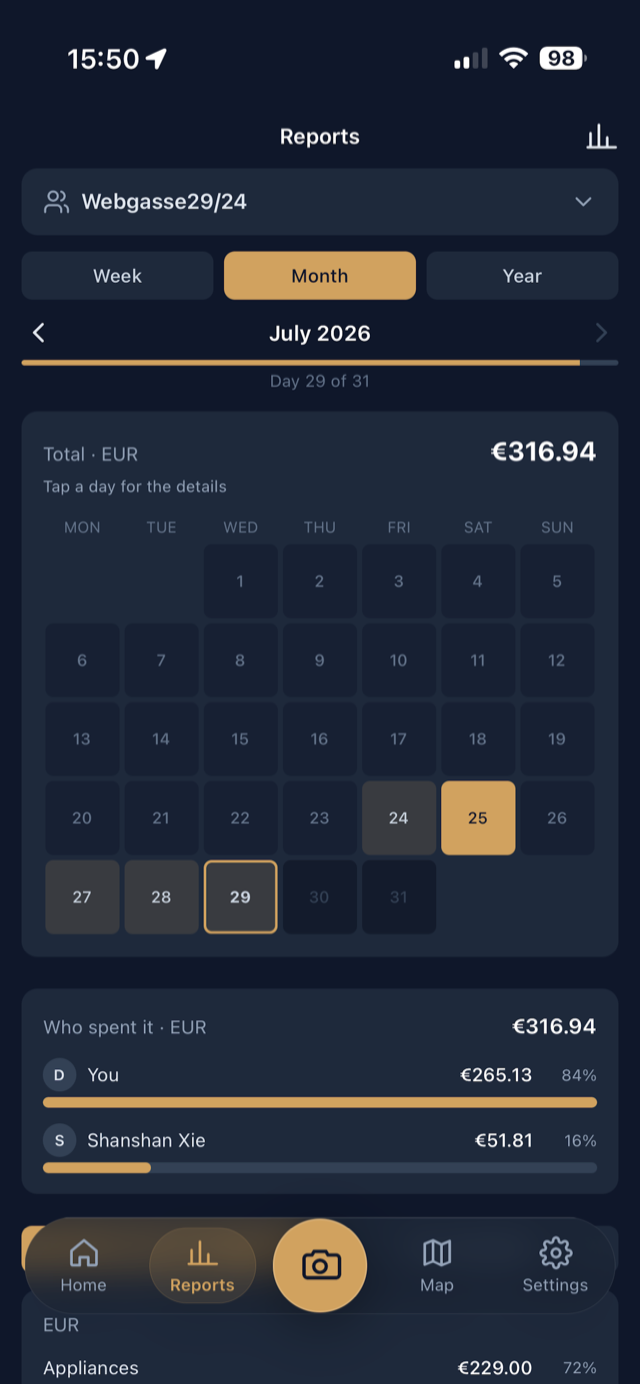
Week, month, year or all time — split by category or by merchant, as a bar chart or as a calendar you can tap day by day.
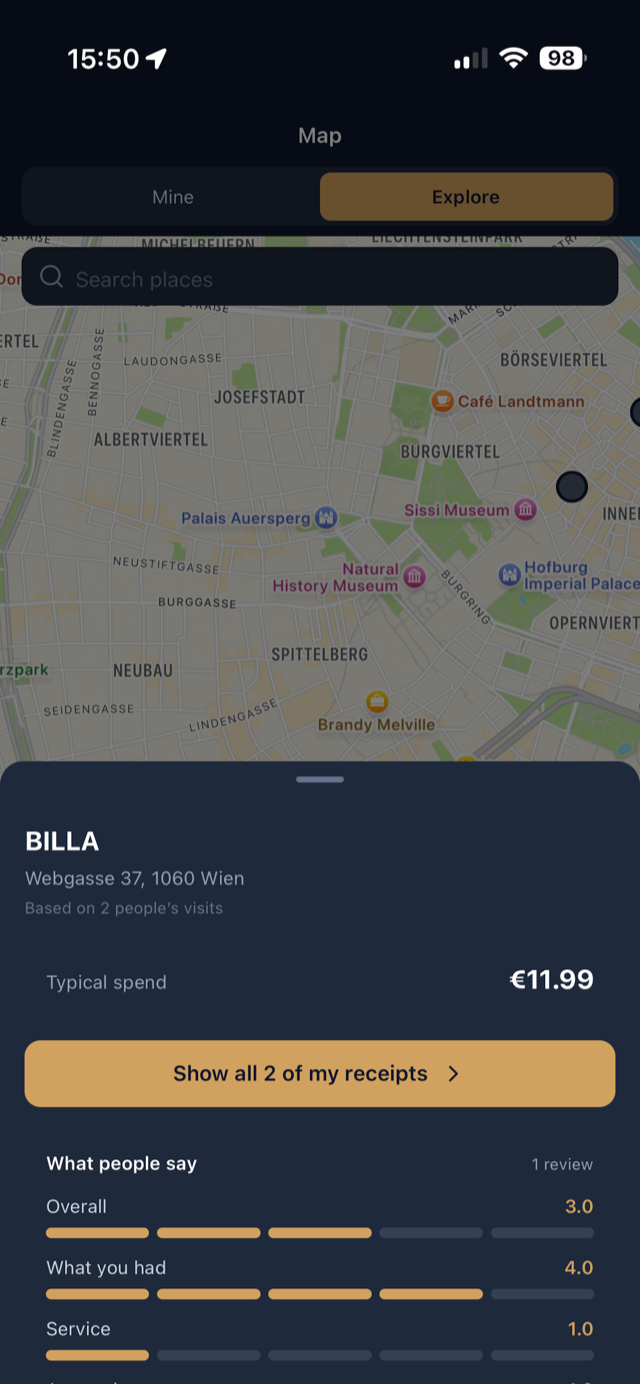
Every confirmed expense with a location becomes a pin. See your regular places, how often you go back, and what you usually spend.
Create a group, share a join code, and shared receipts roll into one set of totals — including who spent what.
Card numbers and IBANs are stripped before anything is stored, receipt photos are deleted after 90 days, and nothing is ever sold or used for advertising.
Open the camera, photograph the receipt, and the reading starts while you are still looking at it. Merchant, amount, currency, date, category and the individual items come back filled in and flagged as automatic — so you glance over them instead of typing them. Rate the place while you wait, if you like.
Switch between week, month and year and step back through them one at a time. Read the period as a bar chart when you want the shape of it, or as a calendar when you want to find the day it happened — then break the total down by category or by merchant.
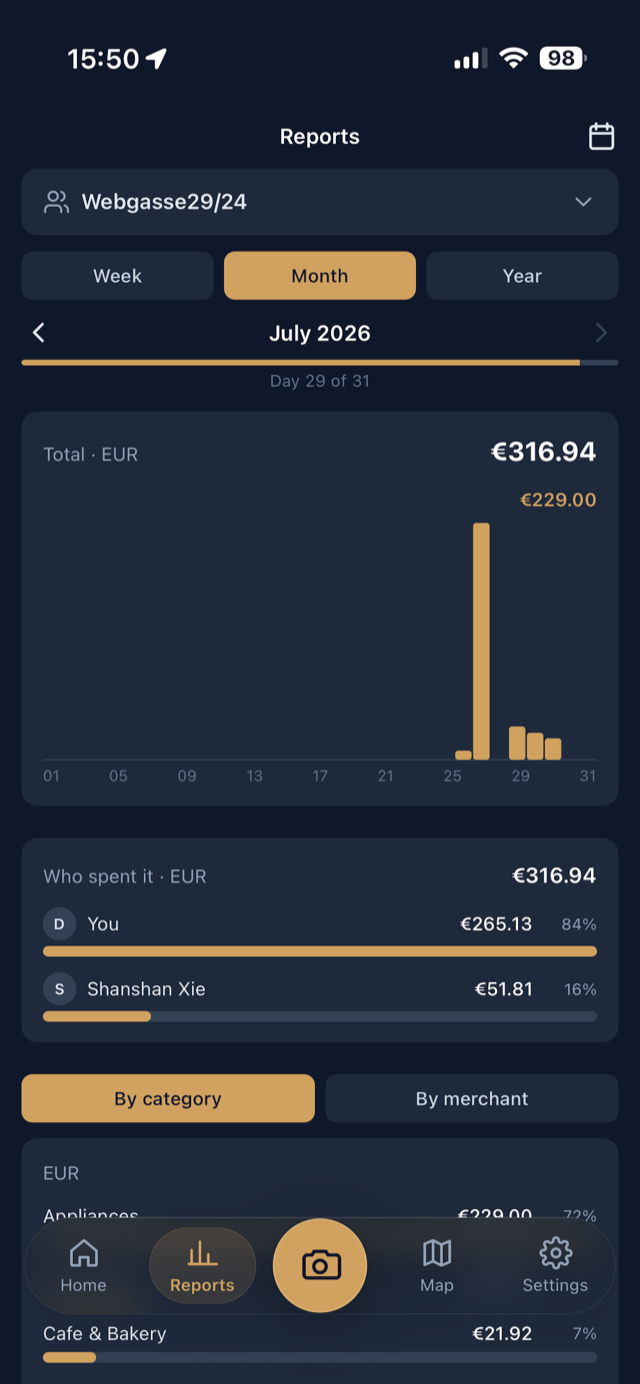
Create a group, send a join code, and everyone’s shared receipts add up in one place — with a “who spent it” split so nobody has to reconstruct the month from memory. Receipts stay yours: only you can edit yours, and they leave the group when you do.
Your confirmed expenses become pins you can revisit — with your visit count, your ratings and your total for each place. Switch to Explore and the same map shows what a place typically costs and how people rated it, drawn from everyone’s visits as plain averages.
Receipt reading is the one part of the app that sends anything anywhere, so it is worth being plain about it.
The camera captures the receipt. If you are offline it waits in a queue and uploads itself when you have signal again.
The photo goes to a specialist AI service, which returns the merchant, amount, date, category and — if you want them — the individual items.
Nothing is final until you say so. Correct anything that came back wrong, add a note and your ratings, and confirm.
A record of everything you buy is about as personal as data gets. It is treated that way.
The things people ask before installing an app that sees every receipt they get.
You photograph the receipt and the image is sent to a specialist AI service, which returns the merchant, total, currency, purchase date, category and — if you want them — the individual line items. The result comes back marked as automatically filled in, and nothing is saved until you check it and confirm.
No. Receipt scanning is off until you turn it on, and the app asks for your consent before the first image ever leaves your phone. If you decline, the app works exactly the same — you type the expense in yourself. You can also switch scanning off again at any time in Settings.
They are stored privately and reachable only through short-lived links, and they are deleted automatically 90 days after capture. The expense created from a receipt stays until you delete it. Card numbers and IBANs are detected and stripped out before any extracted text is stored.
No. There is no bank connection and no card linking, and the app never asks for bank or card details. It only knows what is on the receipts you choose to photograph or the expenses you type in.
Not by default. An expense becomes visible to someone else only when you deliberately share it with a group you joined. The Explore map shows typical spend and ratings for a place as anonymous averages across everyone’s visits — it contains no receipts, no names and no individual amounts.
Yes. Create a group, share the short join code, and the receipts everyone shares add up into one set of totals with a per-member breakdown of who spent what. A receipt you share stays yours — only you can edit it, and it leaves the group when you do.
Yes for capturing. A receipt photographed offline is saved on your device and uploads itself once you have a connection again. Reading the receipt and syncing your reports need to be online.
Yes. Each expense keeps the currency it was paid in, and reports total each currency separately rather than converting between them at a rate that would be wrong by the time you read it.
In the app under Settings → Account → Delete account, or through the deletion form on this site, or by emailing office@rockndevel.com from your account address. That removes your account, expenses, receipt photos, notes, ratings, places and group memberships. Requests are completed within 30 days.

Point your camera at the next receipt you get and let the app do the rest. Coming soon to the App Store and Google Play.